

Resource
A resource is a pool of interchangeable units that activities and routes seize to do their work, then release: people like an operator or nurse, or equipment like a machine or vehicle. If an activity has no resource attached, it needs none.
General tab
Section titled “General tab”- Name: the resource’s name (for example, Operator).
- Quantity: the number of identical units in the pool (at least 1). Each unit works independently, so a Quantity of 3 lets three entities be served at once, but only if the activity’s capacity is also 3 or more. A new activity has a capacity of 1, and connecting a resource does not raise it.
- Image: an optional custom picture for the resource on the canvas.
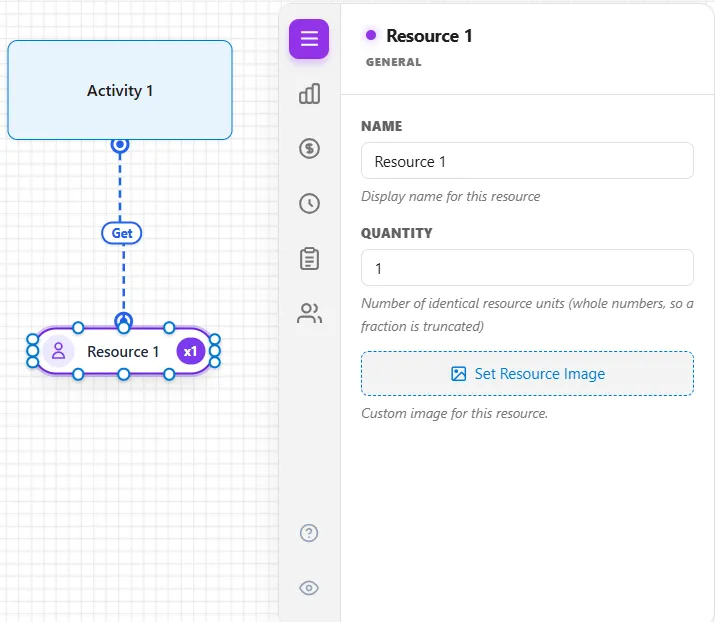
A resource has seven tabs in all. Besides General it has Availability, Cost, Shift, and Caseload tabs, a Group tab, where Open Resource Group Builder combines it with others in a resource group, and a People tab. Caseload is the one to reach for when a case should be handled by the same person every time rather than by whoever is free.
The People tab is only for people who join late, learn, or get pulled off their work. It is hidden until you switch it on with the eye icon at the foot of the tab column, and its ? button opens this article. It holds a table of the kinds of people on the team and an Interruptions table for meetings, questions and incidents (see Resource Downtime and Maintenance). Each box on the tab is described in The People tab.
Using a resource
Section titled “Using a resource”To put a resource to work, connect it to an activity with a resource connection, or seize it in action logic. To read which resource an entity is holding, use Entity.HeldResourceName() (see OwnedResource Function).
LegacyHow this worked in the previous version
See Basics 9 - Representing People and Equipment - Resources video tutorial.
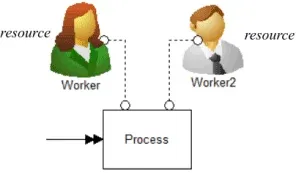
Resources are the agents used to perform activities and move entities such as service personnel, operators or equipment. More than one unit of a particular resource may be defined if they are used interchangeably and have the same operating characteristics. Resources may be shared between several activities. If no resource is assigned to an activity, it is assumed that no resource is required.
General
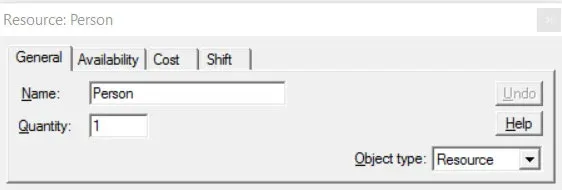
Section titled “General”Name The name of the resource (e.g. Worker).
Quantity The number of units of this resource type (1 - 9999). Scenario parameters may also be used. The quantity value is read only once at the beginning of the simulation so using values which change during a simulation (such as variables) cannot be used.
If scenario parameters are used in a resource quantity field, no indicator lights will be displayed during simulation. The only way to have indicator lights show during simulation is to use a numeric value in the resource’s quantity field. The maximum number of indicator lights during simulation for any resource is 12.
Object Type Allows the type of object to be changed from Resource to something else.