

Costs
The Cost tab rolls up the money side of a run: what each activity, resource, and entity cost, and where the cost went.
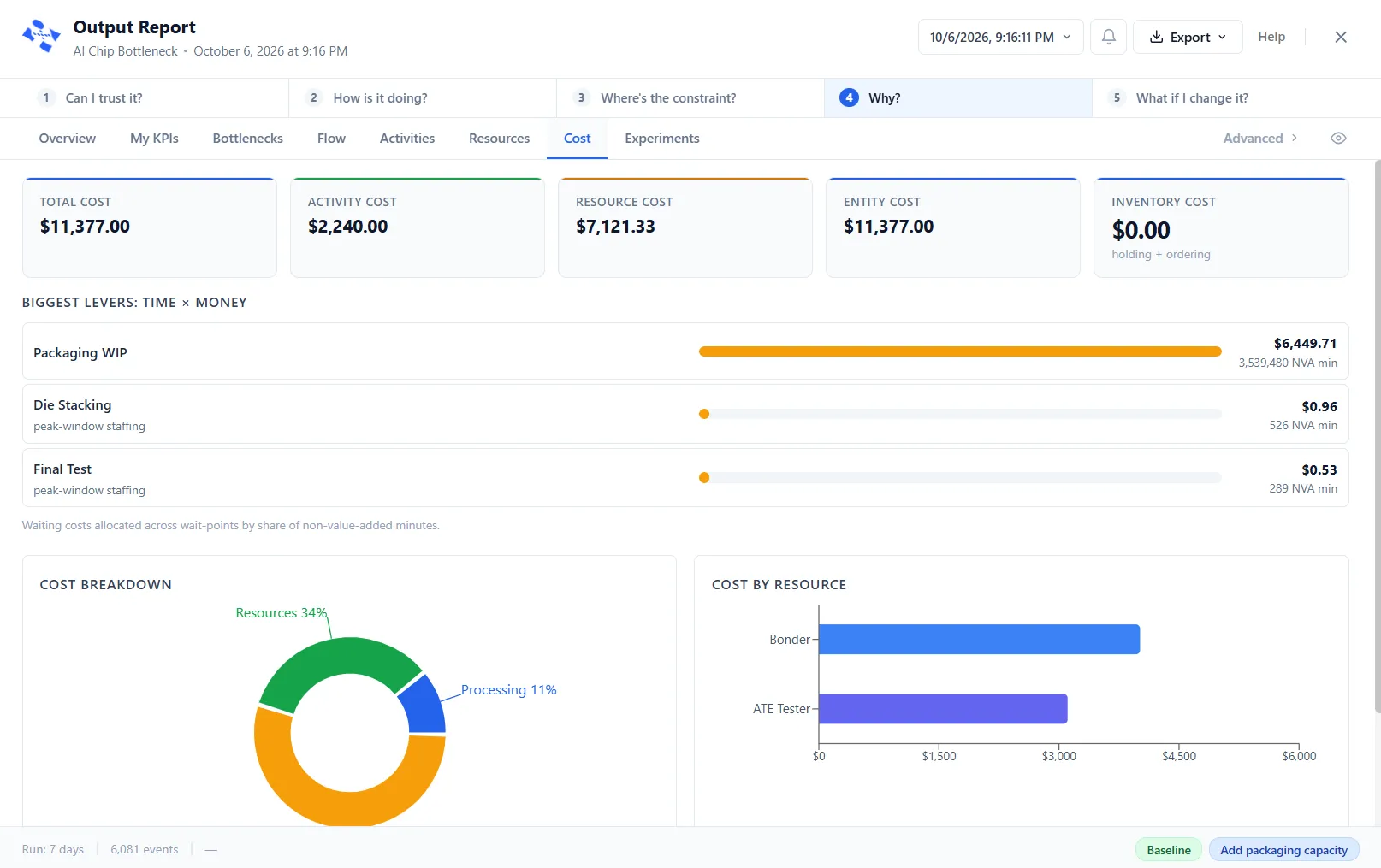
What it shows
Section titled “What it shows”Five cards across the top give Total Cost, Activity Cost, Resource Cost, Entity Cost and Inventory Cost. Below them, the tab leads with Biggest levers: time × money: the wait points ranked by their waiting cost, shared out by non-value-added minutes (a footnote says the figures are allocated). Beneath it, a Cost Breakdown donut splits the cost into Processing, Resources, and Entities, and a Cost by Resource bar shows which resources cost the most, so the most expensive parts of the process stand out.
The detail sits in four ledgers. While the levers are showing, the ledgers stay behind a Show cost ledgers button.
- Location Costs: the processing and per-entity cost at each activity and queue, and how many entities it handled.
- Resource Costs: for each resource, the cost of time in use, idle, on break, in downtime, and overtime, and its total. The cost columns are hidden by default; switch them on from the column menu.
- Route Costs: what each route charged, for the routes that carry a cost.
- Entity Costs: for each entity type, its Count, Initial Cost, Waiting Cost, Touch-time Cost, and Total Cost.
Getting numbers to appear here
Section titled “Getting numbers to appear here”For costs to appear, first set them on the model. Costs in a model explains how the five authoring surfaces compose into these figures, and each has its own article:
- Entity Cost: an initial value and a waiting rate
- Activity Cost: a per-entity charge, a per-minute charge, and the value classification
- Resource Cost: hourly or busy and idle rates, cost per use, and overtime
- Queue Cost: a flat charge on leaving a queue
- Cost on a route: a charge per move